The BEE Suite

The BEE Suite

The secure, web-based, easy to use command center for childcare providers that need enrollment, tours, registration, attendance, parent communication, staffing, billing readiness, compliance support, and multi-location reporting in one role-safe workspace.

Role-safe web app
Tenant, brand, owner group, school, and classroom scope
Enrollment to ops
Inquiry, registration, family setup, billing, and reports
Human-reviewed AI
Drafts and summaries with staff decision guardrails
Live product view
Command center
Executive visibility across enrollment, occupancy, staff ratios, billing readiness, and center tasks.
Search families, children, staff, invoices, and more...

Welcome back, Maya

Here is what is happening across your centers today.

May 16, 2025
Active Enrollments
128
+8 vs last month
Open Inquiries
27
+5 this week
Occupancy Rate
87%
+4% vs last month
Collected MTD
$48.3k
+12% vs last month
Enrollment Pipeline
Total prospects: 54
New Inquiry
18
Tour Scheduled
12
Application
9
Offer Extended
6
Enrolled
9
Apr 16Apr 30May 14
AI Daily Center Summary

Good morning. Mr. Bee found 2 tours today, 4 follow-ups due, and 3 compliance reminders that need review.

Tours scheduled
10:00 AM, 1:30 PM
Birthday reminders
Celebrate Ava, Logan, Mia
Records expiring
4 children need updates

A CRM built around childcare enrollment, not generic sales.

Every inquiry is tied to a center, program, family, child, tour, status, source, and follow-up history. Schools can create and edit leads directly while executives keep the system-level view across brands, owner groups, and centers.

Capture every inquiry

Website embeds, online registration packets, manual lead entry, location routing, Google Sheets backup, and notification emails all feed the same CRM record.

Move families with context

Directors can update stages, notes, tours, tasks, start dates, program interest, and child details without leaving the pipeline.

Follow up with Mr. Bee

AI suggestions draft warm replies and next steps, while sensitive enrollment, billing, safety, and compliance decisions stay human-reviewed.

The workflows connect instead of living in separate tabs.

Inquiry capture, online registration, classroom engagement, billing readiness, compliance work, reporting, and AI assistance share the same center record, so schools do less duplicate admin work.

Enrollment capture

Parents inquire or submit an online registration packet, the form routes by school, the CRM creates the lead, and the school receives a notification.

1Website form
2Registration packet
3CRM lead
4School alert

School day engagement

The lobby kiosk, classroom updates, photos, and daily reports create one connected record for staff and families.

1PIN check-in
2Teacher update
3Parent portal
4Daily report

Executive rollup

Operators see FTE, occupancy, conversion, revenue readiness, ratio snapshots, and action queues across every center.

1FTE data
2Pipeline health
3Center snapshot
4Next action

Account separation

A provider can run one school, a franchisee can own a few locations, and a brand admin can manage the larger network without crossing data boundaries.

1Tenant
2Brand
3Owner group
4Center

Capacity planning before empty seats cost the school.

The BEE Suite already tracks the pieces that make enrollment planning real: child age, program interest, classroom capacity, staff assignment, start dates, tours, registration status, billing readiness, and open documents. The next layer turns those signals into a forward-looking seat plan.

30, 60, and 90 day room view

Directors can see where starts, withdrawals, birthdays, move-ups, capacity, and ratios may collide before a seat sits empty or a room drifts out of range.

Waitlist fit with school context

Open seats are more useful when they are matched to program interest, child age, desired start date, required documents, and billing readiness.

Ratio and staffing early warnings

Enrollment planning is tied back to classroom ratios, teacher assignment, schedules, and licensed capacity instead of living in a separate spreadsheet.

A director answer screen

When a parent asks when a child can start, the school can answer from one planning surface instead of checking files, calendars, rosters, and inboxes.

Seat forecast

Director planning board

A clearer answer for openings, move-ups, waitlist fit, and ratio risk.

Infants
2 projected openings
1 waitlist match
Ratio review
Toddlers
5 move-ups within 60 days
4 tour families
Staff ready
Preschool
3 starts pending packets
2 payment setups
Docs needed
VPK
Full today
8 upcoming transitions
Watch capacity
90 days
planning window
4 signals
capacity, age, docs, billing
1 answer
what can we offer this family?

A better savings calculator for real operating decisions.

Generic time-savings math is not enough for childcare. This estimate considers school count, children, staff, admin cost, tuition, and the seat visibility that comes from tying enrollment to rooms, billing, documents, and staff coverage.

Adjustable

Use your own school, enrollment, staff, and tuition assumptions.

Operational

Includes enrollment, billing, classroom, and compliance admin drag.

Capacity-aware

Separates labor savings from seats that need earlier visibility.

Estimate your monthly operating drag

Adjust the assumptions for a directional planning conversation.

175
256,000
5900
$15$55
$125$650
111
estimated hours exposed each month

Lead follow-up, manual billing work, classroom note reconstruction, document chasing, and compliance prep.

$2,664
estimated admin time value

A planning value for replacing repeat spreadsheet, inbox, and paper packet work with connected workflows.

7
seats to watch before they sit open

A simple forecast target for upcoming starts, move-ups, waitlist fit, and rooms drifting below capacity.

$9,787
monthly planning value to review

Directional only. Actual savings depend on process, adoption, tuition, staffing, and center configuration.

Visual guides that make the platform easier to explain.

These product maps help new users, school leaders, franchise teams, and agency partners understand The BEE Suite before they touch the dashboard.

Sales calls

Show the full operating model without opening every tab.

Onboarding

Explain what schools configure before going live.

Training

Teach each role how their dashboard connects to the rest of the suite.

Getting started platform map product explainer graphic

Getting started platform map

Shows the current launch order across Vercel, Supabase, Stripe, messaging, Google/webhooks, OpenAI, Procare migration, school setup, and user training.

School launch swimlane product explainer graphic

School launch swimlane

Breaks go-live into role-by-role steps for owners, directors, teachers, parents, billing/compliance users, and support so every handoff is explicit.

Daily user quick start product explainer graphic

Daily user quick start

A role-card graphic for the first actions directors, teachers, parents, billing users, executives, and support teams should take in the current app.

Childcare operating system product explainer graphic

Childcare operating system

Shows how enrollment, operations, families, billing, reporting, and platform controls connect around one shared school record.

Inquiry to enrolled family product explainer graphic

Inquiry to enrolled family

Explains the website form, Location ID routing, CRM follow-up, family setup, and school operations handoff.

Permission-safe data model product explainer graphic

Permission-safe data model

Clarifies why executives, directors, teachers, parents, auditors, and pickup users each see the right scope.

School go-live setup path product explainer graphic

School go-live setup path

Walks a new school through active location setup, director configuration, classrooms, families, billing, routing, and smoke testing.

Daily operating loop product explainer graphic

Daily operating loop

Frames the everyday school rhythm from morning command check through drop-off, teacher logs, parent communication, and closeout reporting.

Director dashboard guide product explainer graphic

Director dashboard guide

Gives directors a one-page operating guide for dashboard review, family records, tuition payments, parent follow-up, forms, and common billing FAQs.

Parent portal guide product explainer graphic

Parent portal guide

Shows parents how to set up their portal, see balances, pay by card or verified bank, manage payment info, complete forms, and use kiosk check-in/out.

Designed for how schools actually use the system.

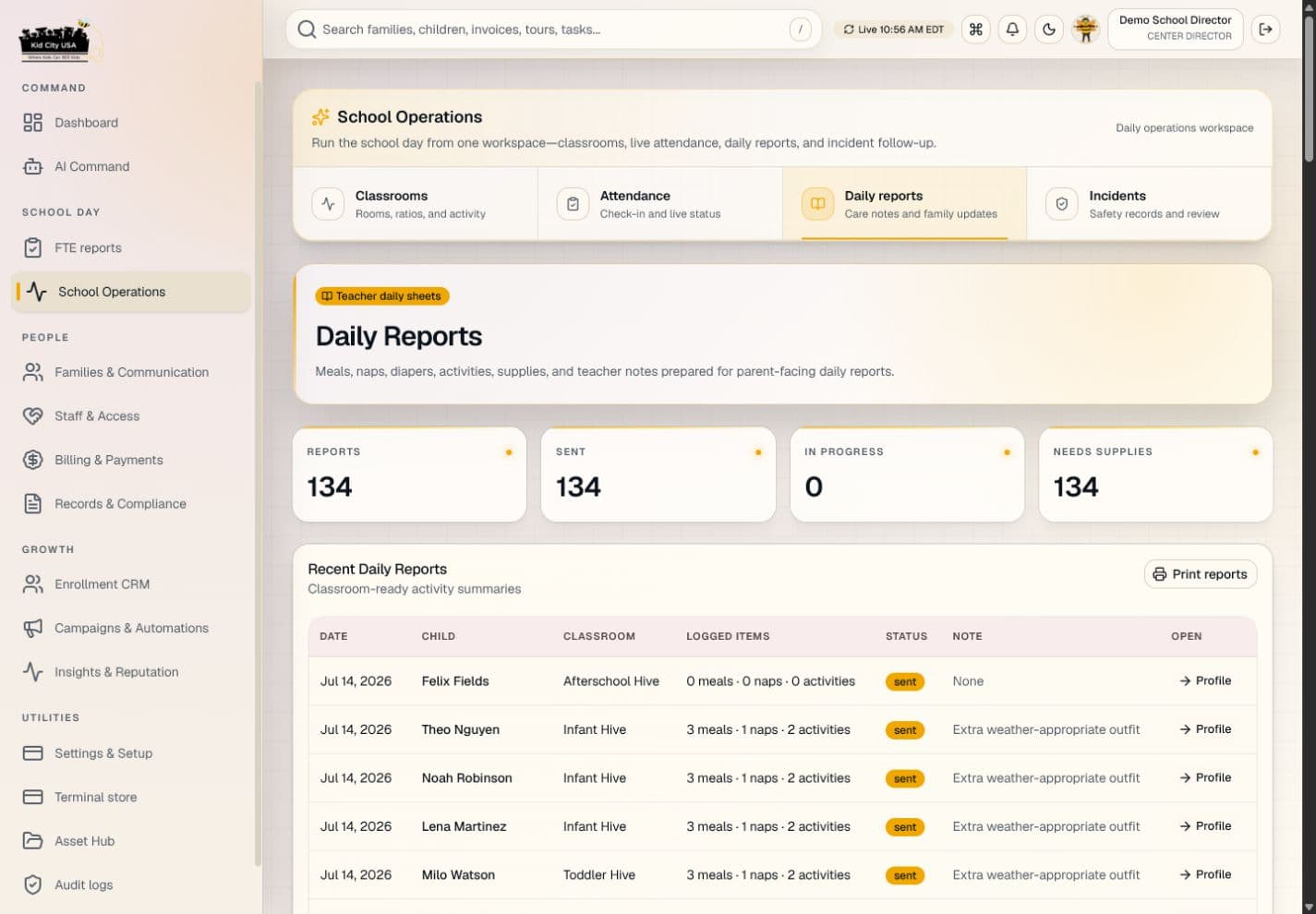
The BEE Suite is not just a back-office dashboard. It supports the lobby, classroom, enrollment desk, director office, and executive view with role-aware screens and workflows.

Parent using a tablet kiosk with a school director in a childcare lobby
PIN + QR ready
Drop-off, pickup, and authorization support

Lobby check-in without the morning scramble

Parents use director-managed PIN or QR options while the school keeps attendance, pickup authorization, and daily arrival records in one place.

Teacher using a tablet in a preschool classroom
Daily reports
Care logs, photos, notes, and parent updates

Teacher updates while the classroom keeps moving

Staff can document meals, naps, activities, photos, incidents, and daily reports without turning classroom communication into end-of-day paperwork.

Childcare directors collaborating at a laptop in a preschool office
One operating record
CRM, enrollment, documents, billing, and staffing

Director follow-up with the full school picture

Directors can review leads, tours, applications, tuition setup, staffing, documents, and parent communication from the same operating record.

Web-based now, split for role-specific app packaging.

The product stays one secure platform, but App Store entries should be role-specific. Parents need a focused phone app, teachers need classroom tablet flows, directors need school operations, and executives need multi-location controls without unrelated login copy.

Native app path

1. Submit the parent app first with /parents as the native launch URL.

2. Keep teacher, director, and executive apps on their own role-specific login entries.

3. Package each app with its own bundle ID, screenshots, privacy answers, and review notes.

Open app launcher

Parents on phones

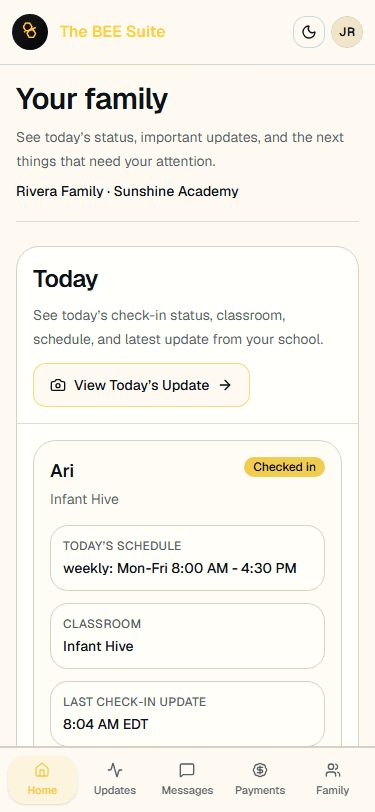
Family portal flows prioritize balance, invoices, documents, messages, daily reports, and contact requests with thumb-friendly actions.

Teachers on classroom tablets

Teacher screens are optimized for iPad/tablet use: attendance, care logs, photos, incident notes, and daily reports stay reachable while the class keeps moving.

Directors and executives on desktop

School and executive dashboards stay dense enough for repeated operational work: pipeline, occupancy, billing readiness, reports, setup, and compliance queues.

Production onboarding starts with the pieces a provider actually needs.

A new operator can create a gated workspace, define the ownership container, complete brand and center setup, copy their inquiry form, invite users, and prepare payout onboarding before live parent workflows are enabled.

Brand profile

Name, theme, logo assets, custom domain, and parent-facing identity.

Owner groups

Single-center owners, franchisees, and multi-location operators stay properly separated.

Centers

Location profiles, CRM IDs, routing emails, capacity, and open or closed status.

Users

Role-scoped access for owners, regional teams, directors, staff, and auditors.

Branding layers

Tenant, brand, owner group, and center customizations can override the right surfaces.

Inquiry form

Copyable embed codes tied to the correct center or multi-location account.

Online registration

Public registration packets create application-stage leads and director review tasks.

Payouts

School payout readiness is captured before live parent payments are enabled.

Reports

FTE, CRM, occupancy, revenue, task, and conversion snapshots for schools and executives.

Trust, integrations, and state readiness built into the sales story.

Large competitors separate these into resource pages and marketplaces. The BEE Suite can make them part of the product promise: move data in cleanly, keep sensitive records role-gated, track readiness by school, and support the state-specific work directors actually manage.

Trust posture

What leaders need to know before sensitive family, child, billing, and staff data moves into a live system.

Role and tenant boundaries

Access is scoped by tenant, brand, owner group, school, classroom, and user role before sensitive records are shown.

Audit-ready workflow records

Registration, documents, billing setup, staff actions, messages, incidents, and compliance work create reviewable operational history.

Protected data posture

Custody, medical, child, family, billing, and staff records are treated as protected workflows with human review on sensitive decisions.

Integration runway

The operational handoffs that keep enrollment, accounting, calendar, payments, messaging, and migration work connected.

Migration intake

Procare CSV import support helps schools move families, children, guardians, classrooms, staff, invoices, balances, and attendance into The BEE Suite.

Calendar and communication

Tour events, school closures, staff-visible events, parent notices, Gmail inquiry intake, and message workflows keep teams out of scattered inboxes.

Accounting and payment runway

Billing readiness, payout setup, invoice flows, parent payment methods, and export-friendly records keep financial operations connected.

State-ready operations

The licensing, funding, credential, and school setup evidence that directors need before audits and renewals.

State readiness

Licensing, QRIS, funding, professional development, and required document rules can be tracked as school setup and compliance evidence.

Credential visibility

Staff profiles, background status, certifications, schedule rows, onboarding documents, and expiration reminders stay visible to authorized leaders.

Launch checklist

Each school can track classrooms, families, staff, registration packets, billing setup, integrations, forms, and smoke testing before going live.

Real feedback from the people who run childcare.

These are real customer reviews. Names and identifying details have been changed to protect customer privacy.

Owner group visibility

The part that matters to franchisees is separation. I can see owner-group performance without giving every location access to every other school’s families, billing, or staffing details.

Megan L.
Multi-location childcare owner
Lead follow-up discipline

Our directors used to chase leads in email, text threads, and sticky notes. The BEE Suite gives them one place to see inquiry source, tour status, registration packet, and next follow-up.

Carlos R.
Regional childcare franchisee
Enrollment handoff

Online registration is useful because it does not just collect a form. Approval creates the family record, document requests, checklist, parent portal invite, and billing next steps.

Dana M.
Center director
Start-date readiness

I need to know what is missing before a child starts: custody paperwork, immunizations, signatures, tuition setup, classroom assignment, and start date. The checklist makes that visible.

Rachel P.
Enrollment and front desk lead
Executive rollup

At the corporate level, the value is a cleaner operating rhythm. We can review FTE, pipeline, open documents, payments readiness, ratios, and location setup without asking schools for another spreadsheet.

Monica S.
Childcare brand operations
Daily report accuracy

The teacher view is practical. I can add meals, naps, activities, photos, and notes during the day instead of reconstructing everything after pickup.

Taylor K.
Preschool classroom lead
Records readiness

For agencies supporting multiple providers, the document and compliance queues are the difference. It is easier to see which families, staff, or children need records before a visit or file review.

Nina H.
Family services and records support
Licensing support workflows

Medication logs, incident review, emergency drills, and staff credential reminders all reduce the number of places directors have to look before they know what needs attention.

Jordan C.
Childcare agency field support
Human-reviewed communication

The AI assistant helps with the blank-page problem. It can draft a warm parent reply or summarize a lead, but the school still makes the final call on sensitive issues.

Alyssa B.
Early learning agency staff

Executive reporting without losing the school-level truth.

The BEE Suite gives operators a fast view of enrollment health, inquiry conversion, school activity, open tasks, billing readiness, compliance work, and FTE reporting. Existing spreadsheets can remain a backup while the app becomes the daily operating view.

Enrollment funnel

Tours, applications, deposits, waitlist, lost leads

Center health

Occupancy, open seats, ratio snapshots, tasks

Executive rollup

Multi-location pipeline, FTE, revenue, source mix

Compliance support

Expiring docs, incidents, certifications, audit trails

Multi-location snapshot
Open centers, lead volume, FTE source, and conversion health
Centers
Open and active locations only
Ready
Lead routing
CRM, email, and Sheets backup
Live
FTE source
Latest compatible report tab
Rolling
AI guardrails
Suggestions never make final decisions
Review
Mr. Bee AI assistant
Mr. Bee communication assistant

Helpful drafts. Human decisions.

Mr. Bee can summarize a lead, draft a tour follow-up, suggest a parent reply, and highlight next steps. Sensitive safety, medical, custody, billing, licensing, and compliance decisions stay with authorized staff.

Role-scoped

Users only see the centers and workflows their role allows.

Sensitive by design

Custody, medical, child, and billing data are treated as protected workflows.

Review-ready

Important changes create traceable records for operational review.

Ready to run enrollment from one command center?

Start the web app onboarding path for a childcare center, preschool, agency, franchise, or multi-location brand, or review the public registration packet.